
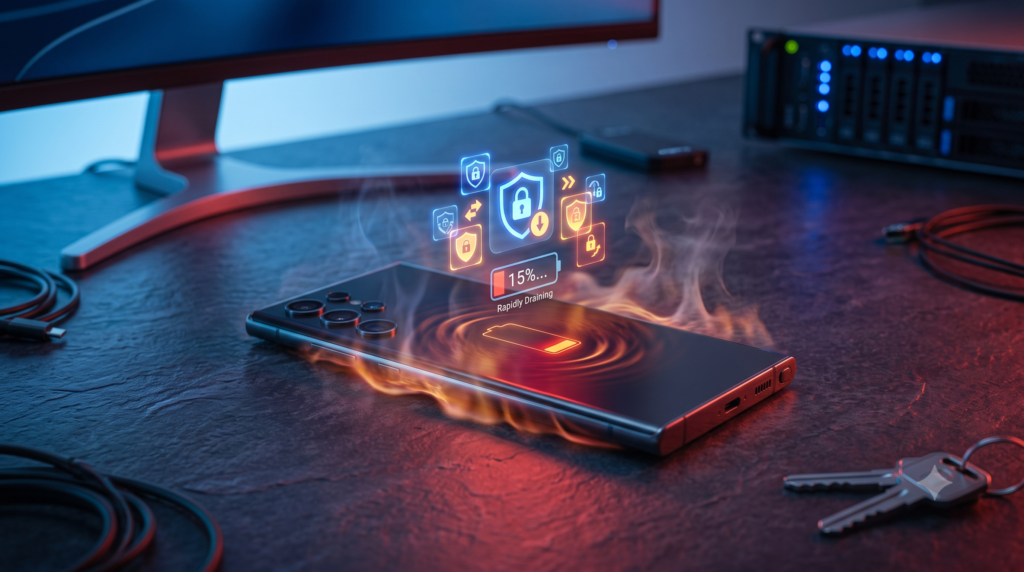
Samsung’s July Update Is Turning Some Galaxy Ultra Phones Into Pocket Heaters.
Galaxy S24 Ultra and S25 Ultra owners are reporting rapid battery drain, overheating and slower charging after installing Samsung’s latest security update. Here is what users should know before replacing their batteries—or their phones.
A routine security update is supposed to make your smartphone safer. For some Samsung Galaxy owners, however, the latest update appears to have created an entirely different problem.
Galaxy S24 Ultra and Galaxy S25 Ultra users have begun reporting unusually fast battery drain, excessive heat and slower charging after installing Samsung’s July 2026 security patch.
The complaints have appeared across Reddit, Samsung’s community forums and other online platforms. One Galaxy S24 Ultra owner said the phone dropped from a full charge to below 15 percent in approximately three and a half hours of normal use. The same user also described the device as constantly warm or hot, even without gaming or watching videos for long periods.
What Galaxy Users Are Experiencing
The reported problems generally fall into three categories:
1. Rapid battery drain
Some users say their batteries are losing power much faster than they did before the update.
One owner reportedly watched the battery fall from 85 percent to 5 percent after only around two hours of screen time. Others say the battery continues draining quickly even when the phone is idle.
That is a major change for devices such as the Galaxy S24 Ultra and S25 Ultra, which were designed to comfortably handle demanding everyday use.
2. Unusual overheating
Users are also reporting that their phones feel considerably hotter during basic activities such as messaging, browsing or using social media.
One Samsung community member described the device as becoming warm or hot during minimal use following the July 27 update.
A smartphone can become temporarily warm while installing an update, restoring data or processing background tasks. Constant or uncomfortable heat during light use, however, should not be ignored.
Samsung advises users to stop using a device temporarily when it becomes excessively hot and allow it to cool down. Galaxy phones may also automatically reduce performance or display a cooling warning to protect internal components.
3. Slower charging
Some affected owners say their phones are charging more slowly than before.
This may be connected to the overheating problem. Smartphones can reduce charging speed when temperatures rise too high, helping to protect the battery from additional heat and long-term damage.
For users, the result can feel like a double problem: the battery drains faster but also takes longer to recharge.
WhatsApp May Be Part of the Problem
Some complaints specifically mention WhatsApp showing unusually high battery consumption after the update.
That does not necessarily mean WhatsApp alone is responsible. A system update can sometimes create compatibility problems with an app, change how background processes behave or force applications to rebuild and resynchronize data.
This is why users should check the battery usage page before assuming the physical battery has suddenly failed.
Go to:
Settings → Battery → View details
Look for an application consuming considerably more power than usual. If WhatsApp or another app appears near the top, update it through the Google Play Store or Galaxy Store, restart the phone and monitor it again.
Is Samsung’s Security Update Definitely Responsible?
Not yet.
The timing of the complaints makes the July update a reasonable suspect, but user reports alone do not prove that the patch is causing every case.
Battery drain may also be influenced by:
- Apps running heavily in the background
- Poor mobile network coverage
- Constant 5G activity
- Location services
- Damaged charging accessories
- Aging batteries
- Applications that have not been optimized for the latest software
Samsung has not publicly confirmed a widespread defect or announced a dedicated fix for these July 2026 complaints at the time of writing.
It is also important to remember that update-related problems do not affect every device. Two people with the same Galaxy model may experience completely different results depending on their apps, carrier, settings and usage habits.
What to Do If Your Galaxy Battery Is Suddenly Draining
Before performing a factory reset or paying for a battery replacement, try the following steps.
Update all your apps
Open both the Google Play Store and Galaxy Store and install every available update.
Apps that have not been optimized for a newer version of One UI or Android may consume more power, crash repeatedly or remain active in the background.
Restart the phone
A restart can stop a stuck process that may be consuming power.
On most recent Galaxy phones, press and hold the Side button and Volume Down button until the device restarts.
Run Device Care
Go to:
Settings → Device Care → Optimize now
Samsung says this feature can close unnecessary background activity and identify potential battery, storage or performance problems.
Check which app is using the battery
Go to:
Settings → Battery → View details
Look for unusual activity. An app consuming far more power than expected may need to be updated, restricted or temporarily uninstalled.
Test the phone in Safe Mode
Safe Mode temporarily disables downloaded applications.
If the battery and heat problems disappear in Safe Mode, a third-party app is likely contributing to the issue. Samsung recommends removing recently installed or problematic apps one at a time to identify the cause.
Use Power Saving Mode temporarily
Power Saving Mode can reduce background activity, processor performance and other battery-intensive features while you wait for a permanent solution.
This is not an ideal long-term fix for a premium Ultra phone, but it may help the battery last through the day.
Avoid heavy use while charging
Gaming, video recording, navigation and other intensive activities generate heat. Using them while charging can make the temperature problem worse.
Remove thick cases temporarily and keep the phone away from direct sunlight while troubleshooting.
Send an error report to Samsung
Open the Samsung Members app and submit an error report shortly after the battery drain or overheating occurs.
Including system logs may help Samsung identify whether the problem is connected to the update, a particular service or an application.
Should You Factory Reset the Phone?
A factory reset should be one of the final troubleshooting steps, not the first.
It erases personal data and may not permanently solve the problem if the cause is a software bug that requires another update. Samsung similarly notes that resetting a phone will not provide a lasting solution when the underlying app or software issue still needs to be fixed.
Back up your photos, files, messages and authentication information before attempting a reset.
When Overheating Becomes a Safety Concern
Stop using and charging the phone if it becomes painfully hot, displays repeated temperature warnings, smells unusual, shuts down unexpectedly or shows signs of battery swelling.
Do not place an overheating phone in a refrigerator or freezer. Sudden temperature changes can create condensation and damage internal components.
Let the device cool naturally in a shaded, ventilated location. Contact Samsung Support or an authorized repair center if the problem continues.
What This Means for Galaxy Owners
This situation highlights an uncomfortable reality about modern smartphones: even a minor security patch can affect battery management, app behavior and device performance.
Users should still install important security updates because they protect phones from known vulnerabilities. However, manufacturers also need better testing and faster communication when updates appear to create serious performance problems.
For now, Galaxy S24 Ultra and S25 Ultra owners should monitor their battery usage closely, update their applications and report abnormal behavior through Samsung Members.
Most importantly, do not immediately assume your battery is permanently damaged. If the problem began directly after the July update, a software correction may eventually restore normal performance.
Samsung’s next move will determine whether this is a limited compatibility problem—or another reminder that even small updates can create big headaches.