
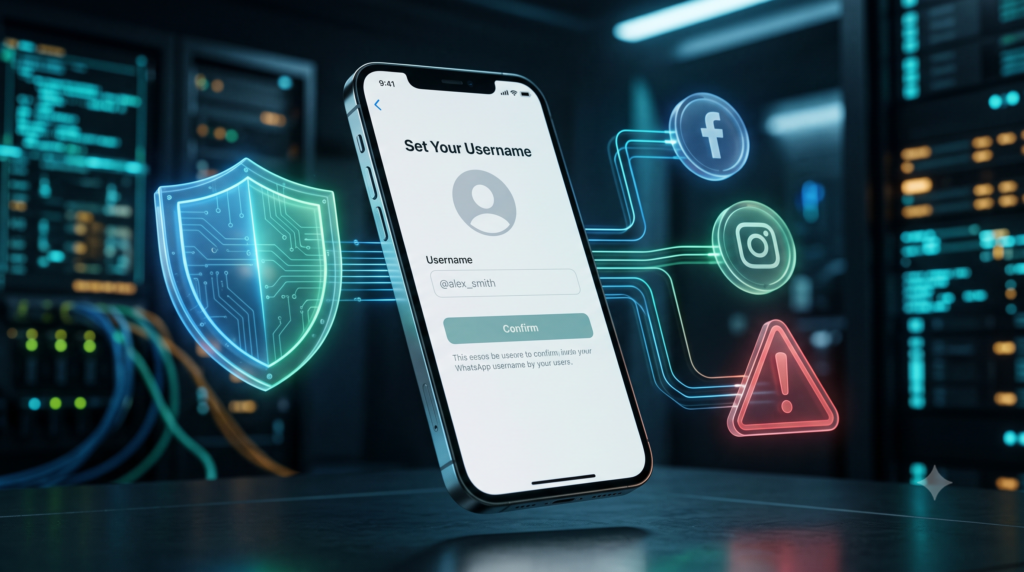
Before You Reserve Your WhatsApp Username, Read This: The Privacy Risk Most Users Will Miss
For years, sharing your WhatsApp account meant giving someone your phone number. That is finally changing.
Meta has introduced WhatsApp usernames, allowing people to connect without exposing their personal phone numbers. On the surface, this looks like a major win for privacy.
But cybersecurity experts and consumer advocates are already warning that one small decision could undo many of those privacy benefits.
The Dutch consumer organization Consumentenbond is advising users to think carefully before choosing a username—especially if they plan to reuse the same one from Facebook or Instagram.
Here’s what every WhatsApp user should know.
What Are WhatsApp Usernames?
Meta introduced WhatsApp usernames on June 29, 2026 as a new way for users to connect.
Instead of giving someone your phone number, you can now share a unique username.
Users have three options:
- Use the same username from Instagram or Facebook
- Create a completely new WhatsApp username
- Ignore the feature and continue using your phone number
The feature is designed to improve privacy by reducing the need to share personal phone numbers.
At first glance, that sounds like a huge improvement.
But there’s an important detail many people may overlook.
The Hidden Catch
If you want the same username you already use on Instagram or Facebook, Meta requires you to connect your accounts through Accounts Center.
According to Meta, linking WhatsApp to Accounts Center allows connected experiences across its apps and lets information be shared between those linked accounts.
That means your WhatsApp identity becomes easier to associate with your Facebook and Instagram profiles.
Your messages remain encrypted.
However, your digital identity becomes more connected.
Why This Could Affect Your Privacy
The biggest concern isn’t message security.
It’s identity correlation.
Imagine using the same username everywhere:
- Instagram: @JohnTech
- Facebook: JohnTech
- WhatsApp: @JohnTech
Anyone who finds one account can quickly discover the others.
That includes:
- Scammers
- Fake recruiters
- Cybercriminals
- Identity thieves
- Social engineers
Even if your WhatsApp conversations remain private, attackers may gather enough public information from your social media accounts to impersonate you or launch convincing phishing attacks.
This is exactly why cybersecurity experts often recommend using different usernames for different online services.
Social Engineering Becomes Easier
Social engineering doesn’t require hackers to break encryption.
Instead, they manipulate people using publicly available information.
For example:
A scammer discovers your Instagram profile.
They see:
- Your workplace
- Family members
- Friends
- Vacation photos
- Hobbies
- Business information
If your WhatsApp username matches your Instagram username, they now know they’ve found the correct WhatsApp account.
That makes targeted scams far more believable.
Examples include:
- Fake customer support messages
- Business payment fraud
- Family emergency scams
- Fake job offers
- Investment scams
The less information criminals can connect together, the harder these attacks become.
Meta Is Already Protecting Some Usernames
Meta understands that usernames can be abused.
To reduce impersonation, the company has reserved usernames belonging to:
- Public figures
- Government organizations
- Certain well-known brands
- Some celebrities
Only verified owners can claim many of those usernames.
However, reports suggest that some usernames resembling politicians, celebrities, and public institutions were still available, meaning users should remain cautious.
How to Protect Yourself
If you plan to use WhatsApp usernames, follow these simple security practices:
1. Create a Unique WhatsApp Username
Don’t reuse your Instagram or Facebook handle.
Instead, choose something different that cannot easily be linked to your other online profiles.
2. Enable Username Key Protection
WhatsApp allows users to require both:
- your username
- your username key
before someone can contact you for the first time.
This adds another layer of protection against unwanted messages and impersonation attempts.
3. Review Your Privacy Settings
Inside Settings → Privacy, you can control who sees:
- Profile photo
- About information
- Last seen
- Online status
- Status updates
- Group invitations
Restrict these to trusted contacts whenever possible.
4. Limit Group Invitations
WhatsApp also lets you decide who can add you to groups.
Reducing unsolicited group invites helps prevent spam, scams, and phishing attempts.
5. Think Before Linking Accounts
Linking Facebook, Instagram, and WhatsApp may be convenient.
But convenience often comes with privacy trade-offs.
Ask yourself whether having the same identity across every Meta app is worth making your online presence easier to track.
What Businesses Can Learn
This update offers an important cybersecurity lesson for organizations.
Many businesses encourage employees to maintain a consistent brand across every platform. While this improves recognition, it can also make staff easier targets for phishing and impersonation attacks.
Companies should consider:
- Training employees on username security
- Encouraging separate usernames for personal and business accounts
- Enabling stronger privacy settings across communication apps
- Educating teams about social engineering risks
Cybersecurity is no longer just about protecting passwords—it’s also about managing digital identities.
Aqyreon’s Take
WhatsApp usernames are a welcome privacy improvement because they reduce the need to share your phone number.
However, that benefit can quickly disappear if you reuse the same username across Facebook, Instagram, and WhatsApp.
A unique username gives you one more layer of separation between your online identities, making it harder for scammers, impersonators, and data collectors to connect the dots.
In cybersecurity, small privacy decisions often make the biggest difference.
Key Takeaways
- WhatsApp usernames let users connect without sharing phone numbers.
- Reusing your Instagram or Facebook username makes your accounts easier to link.
- Matching usernames can increase the risk of phishing and social engineering.
- Create a unique WhatsApp-only username for better privacy.
- Enable WhatsApp’s username key and review your privacy settings for additional protection.
Your phone number may stay hidden—but your digital identity doesn’t have to become easier to find.
Ezra Vaughn
Ezra writes about cybersecurity, digital privacy, and online protection. His work helps readers understand modern threats, stay secure online, and navigate the evolving world of cyber risks.