
VmakeAI Review: The AI Video Tool That Can Turn Simple Product Content Into Money-Making Assets
Most creators and small businesses do not fail because they have nothing to sell.
They fail because they cannot create enough good-looking content fast enough.
A product may be good. A service may be useful. An affiliate offer may pay well. But if the video looks cheap, blurry, boring, or too slow to grab attention, people scroll away before they ever understand the offer.
That is where tools like VmakeAI become interesting.
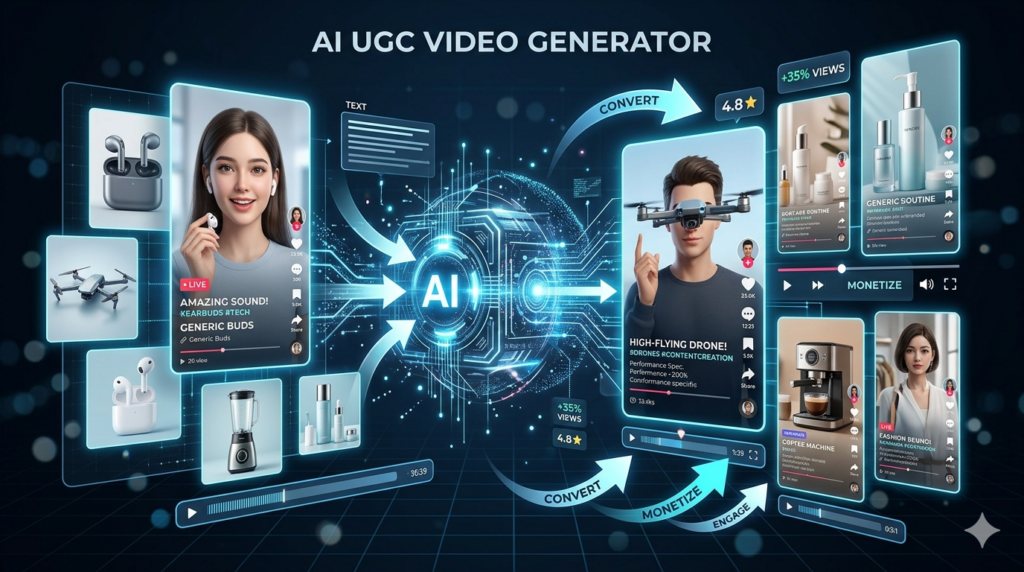
VmakeAI is built as an all-in-one AI video and image tool for creating, improving, and repurposing content. Its official site positions it as a UGC video generator for sellers, creators, affiliate marketers, ecommerce brands, and local businesses that want to attract, convert, and grow through short-form video.
In simple Aqyreon language:
VmakeAI helps you turn ordinary product photos, rough videos, and basic content ideas into cleaner, sharper, more professional-looking videos that can be used for ads, social media, ecommerce listings, and affiliate promotions.
And in 2026, that is not just convenient.
That can be a business.
What Is VmakeAI?
VmakeAI is an AI-powered content creation platform focused mainly on UGC-style videos, product videos, video enhancement, AI avatars, video translation, captions, hooks, background removal, watermark removal, and image tools. The platform says it combines generation, editing, enhancement, and optimization in one workflow, which is important because most creators usually need multiple apps to do those jobs.
Instead of opening one tool for captions, another for video cleanup, another for product showcases, another for thumbnails, and another for background removal, VmakeAI tries to bring many of those functions into one place.
That matters for beginners because complexity kills momentum.
If you are trying to make money online, you do not want to spend three weeks learning advanced editing software before you can post your first product video. You need a workflow that helps you move from idea to content faster.
The Big Usefulness of VmakeAI
The biggest value of VmakeAI is not just that it uses AI.
The real value is that it helps people create commercial content.
There is a difference.
Some AI tools are fun. They create random images, funny videos, or experimental clips. VmakeAI is more practical. It is useful for people who want to sell something, promote something, explain something, or improve the quality of content they already have.
That includes:
Creators who want better TikTok, Reels, and YouTube Shorts content.
Affiliate marketers who need product videos without filming every product themselves.
Ecommerce sellers who want product videos, cleaner visuals, and better listing assets.
Local businesses that need simple promotional videos for services.
Freelancers who want to offer AI video editing and content packages to clients.
VmakeAI says it is optimized for platforms like TikTok, Instagram Reels, YouTube Shorts, Shopify, and Amazon Inspire, which makes it especially useful for people creating content where short-form video drives attention and sales.
Key Features of VmakeAI
1. AI UGC Video Generator
This is one of the main features.
UGC stands for user-generated content. In marketing, UGC-style videos are the videos that feel like a real person is talking about a product, showing how it works, or giving a quick recommendation.
Brands love this style because it feels more natural than polished corporate ads.
VmakeAI helps create UGC-style videos from product ideas, product images, storefronts, or existing footage. Its platform is designed to make videos feel native for TikTok, Reels, and Shorts instead of looking like old-school commercials.
Why this matters:
People are tired of ads that look like ads. But they still respond to videos that feel helpful, personal, and quick.
A simple UGC video can say:
“Here is the problem.”
“Here is the product.”
“Here is why it works.”
“Here is where to get it.”
That format can sell.
2. Product Showcase Videos
This is useful for ecommerce sellers, Amazon sellers, Shopify store owners, Etsy sellers, and affiliate marketers.
VmakeAI can help turn product images into ready-to-use product videos for ads, social media, and ecommerce.
Imagine you have a simple photo of a wireless charger, beauty product, backpack, kitchen gadget, or fitness item.
Instead of only posting a flat image, you can create a short video that shows the product in a more engaging way.
That matters because video gives the product more life.
A photo shows what the product looks like.
A video shows why someone should care.
3. AI Video Enhancer
This is one of the most practical features.
VmakeAI’s video enhancer is designed to improve low-resolution or blurry videos. The tool supports major video formats such as MP4, MOV, M4V, 3GP, and AVI, and it can automatically select an enhancement model or let users choose options like 2K, 4K, or AI 4K+.
This is useful because a lot of creators already have content sitting on their phones.
The problem is that some of it looks too dark, too blurry, too compressed, or too old to repost.
VmakeAI can help clean up that footage.
The platform also says its AI 4K+ feature uses generative scene reconstruction to rebuild detail and texture that compression or low resolution removed. It also highlights artifact cleanup, detail rebuild, texture recovery, and motion repair.
Aqyreon interpretation:
This feature is not just for making videos “look nice.” It can help turn weak footage into usable business content.
That old product demo? Improve it.
That blurry client testimonial? Clean it up.
That compressed TikTok clip? Repurpose it.
That low-light service video? Make it watchable.
4. Video Background Remover
VmakeAI includes a video background remover, which helps remove backgrounds from videos for cleaner edits and more flexible scenes.
This can help creators and businesses create more professional content without needing a studio.
For example, you can record a talking video in your room, remove the background, and place yourself in a cleaner digital setting.
For Aqyreon-style content, this is useful for:
Tech reviews
Product explainers
AI tool tutorials
Affiliate product breakdowns
Online course clips
Business promo videos
The cleaner the background, the more professional the message feels.
5. Captions and Hook Generator
Short-form video depends heavily on the first few seconds.
If the hook is weak, the video dies.
VmakeAI includes tools like a caption generator and hook generator designed to make videos easier to watch and better at grabbing attention.
This is important because many people watch videos without sound, especially on mobile.
Captions help people understand the video faster.
Hooks help stop the scroll.
A weak opening says:
“Today I’m going to talk about this product.”
A stronger opening says:
“This $30 tool fixed a problem most creators ignore.”
That difference can decide whether someone watches or leaves.
6. Video-to-Text
VmakeAI also includes video-to-text, which can turn video content into text for scripts, captions, and repurposing.
This is a money feature for creators.
Why?
Because one video can become multiple content assets.
A product review video can become:
A blog post
A YouTube description
An email newsletter
A LinkedIn post
A short script
A TikTok caption
A Pinterest description
An affiliate product summary
This is where creators start thinking like media businesses.
You do not just create content once.
You create once and repurpose everywhere.
7. Video Translator and Dubbing
VmakeAI includes video translation with dubbing, translation, and lip sync features.
This can be powerful for creators and businesses that want to reach people in different languages.
For example, a creator could take one product video and create versions for different markets.
A local business could create bilingual service content.
An affiliate marketer could test product videos for different audiences.
This matters because attention is global.
A video that performs in English may also work in Spanish, Portuguese, French, or another language if adapted properly.
8. AI Avatar Videos
VmakeAI includes AI avatar video creation for shoppable videos and TikTok Shop-style content.
This is helpful for people who do not want to appear on camera.
Not everyone wants to film their face.
Not everyone has time to record.
Not everyone has a studio setup.
AI avatars can help create presenter-style videos without the creator being physically present in every clip.
For beginners, this can reduce friction.
For businesses, it can speed up content production.
For affiliate marketers, it can help test multiple scripts before investing in higher-production content.
Why VmakeAI Is Useful for Making Money
Here is the real question:
Can a tool like VmakeAI actually help you make money?
Yes — but not by magic.
VmakeAI does not automatically create income. It gives you production leverage.
That means it helps you create the type of content that can support income streams.
The money comes from how you package and use the content.
7 Ways to Make Money With VmakeAI
1. Offer AI Video Editing Services to Small Businesses
This is one of the simplest ways to monetize VmakeAI.
Many small businesses know they need video content, but they do not have time to edit, caption, clean up, or repurpose videos.
You can offer a simple service:
“I will turn your rough phone videos into polished short-form content for TikTok, Instagram Reels, YouTube Shorts, and Facebook.”
Your package could include:
4 short videos per month
Captions
Hooks
Video enhancement
Background cleanup
Product/service showcase clips
Basic thumbnail images
You can target:
Restaurants
Barbers
Fitness trainers
Real estate agents
Cleaning companies
Mobile detailers
Boutiques
Beauty salons
Local service businesses
A simple starter offer could be:
$300/month for 8 short videos
$500/month for 15 short videos
$1,000/month for full weekly content support
The key is not selling “AI.”
Sell the result:
More professional videos.
More consistent posting.
More attention.
More leads.
2. Create Product Videos for Ecommerce Sellers
Ecommerce sellers need content constantly.
Product photos alone are not enough anymore.
You can use VmakeAI to create product showcase videos, enhance product clips, improve footage, add captions, and create ad-style videos.
Your offer could be:
“I help Shopify, Amazon, and Etsy sellers turn product photos into short videos for ads and social media.”
This is valuable because sellers need fresh creatives to test.
A seller may need:
Product demo videos
Before-and-after videos
Lifestyle-style product clips
UGC-style ad videos
TikTok Shop videos
Amazon Inspire content
Instagram Reels
Pinterest video pins
You can charge per product or per bundle.
Example:
$49 per product video
$199 for 5 product videos
$499 for a monthly ecommerce content pack
This is a strong beginner service because you do not need to build a complex app or become a full video production agency.
You are solving a clear problem.
3. Use VmakeAI for Affiliate Marketing Videos
Affiliate marketing works better when the product is explained clearly.
Most beginners make the mistake of only dropping links.
That does not build trust.
Instead, use VmakeAI to create short product explainer videos.
Example niches:
AI tools
Tech gadgets
Home office gear
Software tools
Security tools
Creator tools
Fitness products
Beauty products
Kitchen gadgets
A simple affiliate video structure:
Problem: “Most people waste hours editing product videos.”
Solution: “This tool helps automate the process.”
Proof: “Here are the features.”
Use case: “Here is who should use it.”
CTA: “Check the link in the description.”
For Aqyreon, this is especially useful because your brand already focuses on tech, AI tools, cybersecurity, gadgets, startups, and making money with technology.
VmakeAI can help you create content around tools you already review.
You can create:
YouTube Shorts
TikTok videos
Instagram Reels
Pinterest video pins
Blog post visuals
Newsletter clips
Then place affiliate links in your blog post, YouTube description, newsletter, or resource page.
4. Build a Short-Form Content Agency
This is the bigger version of the freelance service.
Instead of offering one-off edits, you offer a monthly content system.
Your positioning could be:
“We help small businesses turn rough footage and product photos into weekly short-form videos.”
Your monthly package could include:
Content ideas
Script hooks
Video cleanup
Captions
Product showcases
Repurposed clips
Posting calendar
Performance review
VmakeAI becomes part of your backend workflow.
The business is not the tool.
The business is the system you build around the tool.
You can start with one niche, such as:
Real estate agents
Coaches
Local restaurants
Ecommerce stores
Beauty professionals
Fitness trainers
Tech startups
A simple agency offer:
Starter — $500/month
8 short videos
Growth — $1,000/month
20 short videos
Premium — $2,500/month
Full short-form content system with strategy, editing, repurposing, and ad creatives
This is how AI tools become income assets.
5. Create Faceless Product Review Content
Faceless content is one of the easiest ways to start if you do not want to be on camera.
With VmakeAI, you can create product videos, enhance footage, generate captions, use avatars, and repurpose content.
You can build faceless channels around:
Best AI tools
Amazon gadgets
Productivity tools
Budget tech
Home office gear
Software reviews
Creator tools
Cybersecurity tools
For Aqyreon, this fits perfectly.
Example video titles:
“3 AI Tools That Can Save Creators Hours Every Week”
“This Product Video Tool Can Help Small Businesses Sell More”
“Best AI Tools for Ecommerce Sellers in 2026”
“Turn Product Photos Into Video Ads With AI”
Monetization can come from:
Affiliate links
YouTube ads
Newsletter subscribers
Sponsored tool reviews
Digital products
Consulting services
The goal is to build attention first.
Then monetize the attention.
6. Sell AI Content Packages on Fiverr or Upwork
Many people on Fiverr and Upwork are looking for video editing, product videos, UGC ads, captions, and social media content.
You can create service listings like:
“I will create AI product videos for your ecommerce store.”
“I will enhance and upscale your video to HD or 4K.”
“I will create short-form video ads for TikTok, Reels, and Shorts.”
“I will remove video background and add captions.”
“I will repurpose your long video into short clips.”
VmakeAI helps you deliver faster.
That speed matters because freelance profit is not just about how much you charge.
It is also about how quickly you can deliver quality work.
If a project pays $100 and takes you 5 hours, that is $20/hour.
If AI helps you deliver it in 1 hour, the economics change.
7. Use VmakeAI to Improve Your Own Brand Content
This is the most overlooked use.
Sometimes the best way to make money with a tool is to use it to build your own brand.
For Aqyreon, VmakeAI can help create better visuals for:
Blog posts
AI tool reviews
Gadget reviews
Newsletter promotions
YouTube Shorts
TikTok clips
Instagram Reels
Pinterest pins
Affiliate campaigns
Digital product launches
You can use it to create a stronger content engine.
That engine can drive:
Traffic
Email subscribers
Affiliate clicks
Product sales
Sponsorships
Consulting leads
Aqyreon should not just review tools.
Aqyreon should use tools to build media assets.
That is the mindset.
Best Use Cases for VmakeAI
For Creators
Use VmakeAI to clean up videos, create captions, generate hooks, improve visuals, and repurpose old content.
Best for:
TikTok creators
YouTubers
Instagram creators
Newsletter creators
Faceless channels
Course creators
For Ecommerce Sellers
Use it to create product videos, improve product footage, generate ad creatives, and make product content look more trustworthy.
Best for:
Shopify stores
Amazon sellers
Etsy sellers
TikTok Shop sellers
Dropshipping stores
Small product brands
For Affiliate Marketers
Use it to create product explainer videos and short-form content that drives clicks to affiliate links.
Best for:
Software affiliates
AI tool affiliates
Tech product reviewers
Gadget bloggers
YouTube Shorts creators
Pinterest affiliate marketers
For Local Businesses
Use it to turn basic footage into professional-looking promo content.
Best for:
Restaurants
Salons
Gyms
Real estate agents
Repair services
Cleaning companies
Event planners
For Freelancers
Use it as a production tool to deliver content services faster.
Best for:
Video editors
Social media managers
UGC ad creators
Virtual assistants
Content agencies
AI automation freelancers
VmakeAI Money-Making Workflow
Here is a simple workflow beginners can use.
Step 1: Pick a Niche
Do not sell to everyone.
Choose one group.
Examples:
Ecommerce sellers
Local restaurants
Real estate agents
Fitness coaches
Amazon affiliates
AI tool creators
Small service businesses
Step 2: Create 3 Sample Videos
Use VmakeAI to create demo content.
Make samples like:
Product showcase video
Before-and-after enhancement
Short ad with captions
UGC-style product explanation
Faceless review clip
Your samples are your portfolio.
You do not need clients before you create proof.
Step 3: Create a Simple Offer
Example:
“I help ecommerce sellers turn product photos into short videos for TikTok, Reels, and ads.”
Keep it clear.
Do not say:
“I use AI-powered generative enhancement workflows.”
Say:
“I help you create product videos faster.”
Clarity sells.
Step 4: Reach Out to Prospects
Find businesses that already need content.
Look for:
Bad product photos
No video content
Old Instagram pages
Low-quality Reels
No captions
Poor lighting
No product demos
Send a short message:
“Hey, I noticed your product photos are good, but you do not have many short product videos. I help brands turn product images into quick videos for Reels, TikTok, and ads. I can create one sample for your product so you can see what it looks like.”
Step 5: Sell a Starter Package
Start simple.
Offer:
3 videos for $99
5 videos for $199
10 videos for $399
Once they see value, move them to a monthly plan.
Step 6: Turn Results Into Case Studies
Track:
Views
Clicks
Engagement
Sales feedback
Before-and-after quality
Posting consistency
Then use that proof to get better clients.
Example Service Packages You Can Sell
Package 1: Product Video Starter Pack
Price: $149–$299
Includes:
5 short product videos
Captions
Basic hooks
Video enhancement
Social-ready exports
Best for Etsy, Shopify, and Amazon sellers.
Package 2: Local Business Content Pack
Price: $300–$750/month
Includes:
8–15 short videos
Captions
Background cleanup
Noise reduction
Weekly content ideas
Reels/TikTok/Shorts formatting
Best for restaurants, salons, gyms, and service businesses.
Package 3: Affiliate Video Content Pack
Price: $200–$500 per batch
Includes:
10 faceless product videos
Captions
Hook variations
CTA text
Blog/social repurposing ideas
Best for bloggers, niche site owners, and affiliate marketers.
Package 4: AI Video Cleanup Service
Price: $25–$100 per video
Includes:
Video enhancement
Upscaling
Noise reduction
Background cleanup
Captioning
Best for creators with old or low-quality footage.
Pros and Cons of VmakeAI
Pros
VmakeAI combines many useful video and image tools in one platform.
It is beginner-friendly compared to advanced editing software.
It is practical for ecommerce, affiliate marketing, social media, and short-form content.
It can help repurpose old or low-quality footage.
It supports commercial-style workflows like product showcases, captions, hooks, avatars, and video enhancement.
It offers free access and credits, so users can test key features before upgrading.
Cons
AI output still needs human review.
Not every video will look perfect on the first try.
Creators still need strategy, good offers, and strong messaging.
Watermark removal should be used carefully and ethically. Do not remove ownership marks from content you do not have rights to use.
AI-generated videos can look generic if everyone uses the same templates.
Who Should Use VmakeAI?
VmakeAI is a strong fit for:
Creators who want to produce more short-form videos.
Ecommerce sellers who need product videos without hiring a full production team.
Affiliate marketers who want better product promotion assets.
Small businesses that need cleaner video content.
Freelancers who want to sell AI-powered editing services.
Aqyreon-style bloggers who review tools, promote affiliate offers, and need visual content for multiple platforms.
It may not be the best fit for people who need full Hollywood-level editing, complex brand films, or advanced manual control over every frame.
This is not a replacement for a professional production team.
It is a speed tool.
And speed is valuable.
Aqyreon Verdict: Is VmakeAI Worth It?
VmakeAI is worth paying attention to because it sits at the intersection of three major trends:
Short-form video
AI content creation
Ecommerce and affiliate monetization
That is a powerful combination.
The tool is useful because it helps reduce the friction between having an idea and publishing content. It can help creators clean up videos, create product showcases, add captions, generate hooks, translate content, and produce UGC-style videos faster.
But the real opportunity is not just using VmakeAI.
The real opportunity is packaging what VmakeAI helps you create.
Use it to build an affiliate content engine.
Use it to serve ecommerce sellers.
Use it to launch a small AI video service.
Use it to improve your own brand content.
Use it to create short-form videos that drive attention back to your blog, newsletter, products, or affiliate links.
In 2026, the winners will not be the people who collect the most AI tools.
The winners will be the people who use AI tools to create assets, build trust, and move attention toward an offer.
VmakeAI can help with that.