
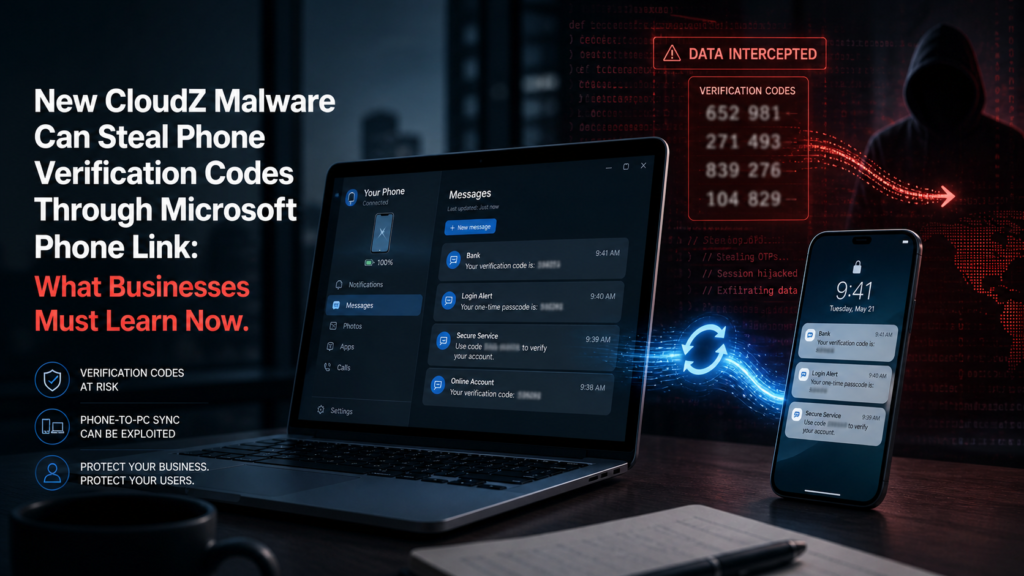
New CloudZ Malware Can Steal Phone Verification Codes Through Microsoft Phone Link: What Businesses Must Learn Now
Most business owners think two-factor authentication makes them safe.
But this new CloudZ malware story proves something uncomfortable:
If your computer is compromised, even the codes sent to your phone may not be as safe as you think.
Cisco Talos reported a new CloudZ remote access tool campaign using a previously undocumented plugin called Pheno. The dangerous part is that Pheno abuses Microsoft Phone Link, the Windows feature that lets users view phone messages, calls, and notifications on their computer. That means attackers may be able to steal SMS one-time passwords and sensitive mobile notifications without infecting the phone itself.
For everyday users, this is scary.
For businesses, it is a warning sign.
Your employees may be using phone-to-PC syncing for convenience, but attackers now see that convenience as another doorway into your company.
Here is the part businesses cannot ignore:
A hacker may not need to break into your phone anymore.
They may only need to compromise the Windows computer that your phone is already connected to.
Microsoft Phone Link is built into Windows 10 and 11 and lets users see phone activity such as texts, calls, and notifications from a PC. Cisco Talos says the Pheno plugin checks for active Phone Link sessions and can access the local SQLite database where synced phone data may be stored.
That creates a dangerous situation:
An employee receives a bank login code, Microsoft 365 code, payroll verification code, or e-commerce admin code on their phone.
But because their phone is linked to their computer, the attacker may be able to see it from the infected PC.
This is why businesses must stop treating SMS codes as “strong security.”
They are better than no protection, but they are no longer enough for high-risk accounts.
Real-World Impact
This attack matters because it targets the exact place many businesses are weakest: the employee workstation.
A small business may have:
A bookkeeper logging into bank accounts.
A store manager accessing Shopify or WooCommerce.
A remote employee signing into Microsoft 365.
A founder using the same laptop for email, payments, social media, and website admin.
If that Windows device is infected and connected to Microsoft Phone Link, attackers may be able to collect sensitive information that normally appears on the phone.
Cisco Talos says the CloudZ RAT also has features beyond the Pheno plugin, including browser data targeting, host profiling, file operations, shell command execution, screen recording, plugin management, and persistence through a scheduled task.
That means this is not just about stealing one code.
It is about taking control of a business machine and using it as a window into the company.
What Happened
Cisco Talos discovered an intrusion that had been active since at least January 2026. Researchers found that the attacker used the CloudZ remote access tool with a new plugin called Pheno. The suspected goal was to steal credentials and potentially capture temporary passcodes.
The infection chain reportedly begins when a victim runs a fake ScreenConnect update, which drops a Rust-based loader. After that, a .NET loader installs CloudZ RAT and sets up persistence using a scheduled task.
CloudZ also uses evasion tactics. Cisco Talos reported that it performs anti-analysis checks, including checks for tools such as Wireshark, Fiddler, Procmon, and Sysmon, as well as sandbox and virtual machine indicators.
In simple terms:
The attacker tricks the victim into running a fake update.
The malware installs silently.
It checks whether it is being analyzed.
It installs CloudZ.
Then the Pheno plugin looks for Microsoft Phone Link activity.
If the phone is linked to the computer, sensitive messages and notifications may become exposed.
Simple Explanation
Think of Microsoft Phone Link like a bridge between your phone and your computer.
Normally, that bridge is useful.
You can see text messages on your PC.
You can answer calls.
You can view phone notifications without picking up your phone.
But the Pheno plugin abuses that bridge.
Instead of hacking the phone, it targets the Windows computer and looks for Phone Link data that has already been synced to the machine.
That is the big lesson:
The attacker does not always need to attack the original device. Sometimes they attack the trusted device connected to it.
This is why businesses need to think beyond “Do we have MFA?”
The better question is:
What kind of MFA are we using, and can it be intercepted from a compromised computer?
Why This Matters for Businesses
-
Data Loss
CloudZ is not just a code-stealing tool.
It is a remote access tool.
That means an attacker may be able to browse files, download data, run commands, record screens, and collect system information. Cisco Talos reported that CloudZ supports file management, command execution, screen recording, plugin control, and browser-data targeting.
For a business, that could mean exposure of:
Customer records.
Invoices.
Employee documents.
Login credentials.
Internal files.
Client communication.
Payment-related information.
A small data leak can turn into a serious legal, financial, and trust problem.
-
Financial Loss
If attackers steal OTP codes, browser credentials, or session-related data, they may be able to access money-related systems.
That could include:
Business bank accounts.
Payroll platforms.
Payment processors.
E-commerce dashboards.
Cloud storage.
Domain registrar accounts.
Ad accounts.
Accounting software.
The financial damage may not only come from stolen money. It can also come from downtime, forensic investigation, legal support, customer notifications, and rebuilding compromised systems.
This is why cybersecurity is not just an IT issue.
It is a business survival issue.
-
Reputation Damage
Customers may forgive a technical issue.
They may not forgive a security breach that exposes private information.
If a business loses customer trust, the damage can last longer than the actual attack.
For e-commerce stores, agencies, consultants, healthcare-related businesses, and financial service providers, reputation is part of the product.
Once people believe your systems are unsafe, they may hesitate to buy, book, subscribe, or share information with you again.
Who Is Most at Risk?
Small Businesses
Small businesses are attractive targets because they often have valuable accounts but limited security.
Many small teams use:
Personal laptops.
Shared passwords.
SMS verification.
No endpoint protection.
No device monitoring.
No formal security policy.
This is exactly the kind of environment where a fake update, infected computer, or stolen OTP can create major damage.
Remote Teams
Remote teams are also at risk because employees often work from different networks, devices, and locations.
A remote worker may connect their phone to their laptop for convenience.
They may install tools without approval.
They may click a fake update while trying to solve a technical issue.
They may use SMS-based login codes because it feels simple.
That combination creates a large attack surface.
E-Commerce Sites
E-commerce businesses should pay special attention.
If an attacker gets into an e-commerce admin account, they may access:
Customer orders.
Payment settings.
Refund tools.
Discount codes.
Customer emails.
Shipping addresses.
Plugin settings.
Website admin dashboards.
For Shopify, WooCommerce, Etsy sellers with connected tools, and online stores using third-party apps, one compromised login can create a chain reaction.
How to Protect Yourself
Step 1: Stop Relying Only on SMS Codes
SMS-based OTP is convenient, but this CloudZ/Pheno case shows why it can be risky when messages are synced to a compromised PC.
Cisco Talos specifically recommends avoiding SMS-based OTP services where possible and using stronger authentication methods. For sensitive accounts, they recommend phishing-resistant options such as hardware keys.
For business accounts, prioritize:
Hardware security keys.
Passkeys.
Authenticator apps that do not expose sensitive push notifications.
App-based MFA over SMS.
Admin accounts protected with stronger login controls.
Protect your business logins: If your team still uses SMS codes, consider upgrading to a password manager and hardware security key setup. A tool like Bitwarden business plans or NordPass may helps your team store strong passwords, while Google Titan Security Key adds stronger login protection for critical accounts.
Step 2: Review Microsoft Phone Link Usage
Microsoft Phone Link is not malware. It is a legitimate Windows feature.
The risk comes from what happens when malware infects a PC that has access to synced phone data.
Businesses should decide whether employees actually need Phone Link enabled on work devices.
Action steps:
Review which employees use Phone Link.
Disable it on high-risk machines if it is not needed.
Do not sync personal phones to business admin computers.
Avoid receiving sensitive login codes on phones linked to work PCs.
Create a simple device policy for remote workers.
For high-risk roles such as finance, IT admins, e-commerce managers, and executives, convenience should not override security.
Step 3: Protect the Computer Like It Is the Real Target
This attack is a reminder that the Windows PC is often the main doorway.
Businesses should protect employee computers with:
Reliable endpoint security.
Regular software updates.
Restricted admin permissions.
Phishing training.
Browser password cleanup.
ScreenConnect and remote-access tool monitoring.
Scheduled task monitoring.
Encrypted backups.
A good cybersecurity setup does not need to be complicated, but it must be intentional.
Recommended security stack for small businesses: Start with endpoint protection like Bitdefender, a password manager like NordPass, and cloud backup like Backblaze. This gives your business a stronger defense against malware, credential theft, and recovery problems.
Aqyreon Takeaway
The CloudZ and Pheno malware campaign is not just another technical cybersecurity story.
It is a business warning.
Attackers are no longer only trying to steal passwords. They are looking for the systems connected to your passwords, phones, browsers, notifications, and login codes.
That means business owners must stop thinking of security as one tool.
Security is a chain.
Your phone matters.
Your computer matters.
Your browser matters.
Your employees matter.
Your login method matters.
And if one weak point connects to everything else, attackers may use it as the doorway into your business.
The smartest move now is simple:
Move away from SMS-based security, protect your work computers, review phone-to-PC syncing, and upgrade your business login protection before attackers test it for you.